Proper maintenance of your Uninterruptible Power Supply (UPS) system is essential, particularly when it comes to UPS battery replacement. As batteries age, they can lose efficiency and pose safety risks. Understanding the correct procedures will not only safeguard the equipment but also ensure uninterrupted power supply. This article serves as a beginner’s guide to safely replacing UPS batteries, highlighting key considerations and essential steps.
Understanding When to Replace Your UPS Battery
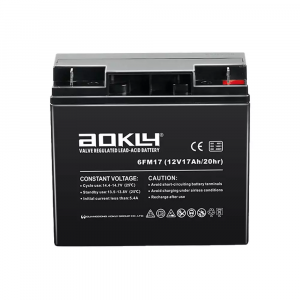
Recognizing the signs that indicate a need for UPS battery replacement is the first step in maintaining your system. Most UPS batteries, such as the Aokly 6-FM-17, have a nominal lifespan of about five years when maintained under optimal conditions. Frequent beeping or alarms from the UPS usually indicates battery failure. If the system holds a charge for less time than it used to or shows inconsistent duration, the battery’s capacity may be diminished. Additionally, inspecting the battery for visible signs of wear—such as bulging, leaks, or corrosion—is crucial for safety.
Safety Precautions for Battery Replacement
Before attempting a UPS battery replacement, it is vital to take safety precautions to protect yourself and your equipment. Wearing gloves and safety goggles is highly recommended when handling batteries, as this protects against chemical exposure and potential spills. Another key step is to disconnect power by unplugging the UPS from the wall outlet and turning off all connected devices, which helps prevent electric shock or damage. Finally, refer to the manufacturer’s manual for your specific UPS system, as different models may have particular requirements for battery replacement.
Step-by-Step UPS Battery Replacement Procedure
Start by selecting the right battery for your UPS system. Making sure that you pick a compatible model, like the Aokly 6-FM-17, which has a nominal capacity of 7Ah and excellent discharge performance, is essential. Once you have the correct battery, proceed to carefully open the battery compartment as per the manufacturer’s instructions. Disconnect the old battery terminals, typically removing the negative terminal first to avoid short-circuiting. Carefully lift out the old battery, ensuring there are no spills or leaks.
Next, place the new UPS battery in the compartment and connect the terminals. Connect the positive terminal first, followed by the negative terminal, ensuring that the connections are secure. After installation, reconnect the UPS to power and monitor its function. Most systems will perform a self-test to verify the integrity of the new battery, so confirm that everything operates correctly before returning the UPS to active service.
Trust Aokly for Your UPS Battery Needs
In summary, safe UPS battery replacement is crucial for maintaining the reliability of your power management system. By understanding when to replace your UPS battery, following safety precautions, and adhering to a systematic replacement procedure, you can ensure a safe and efficient transition. Aokly offers high-quality UPS batteries, like the 6-FM-17, designed for performance and longevity. When it’s time for a UPS battery replacement, count on Aokly for reliable solutions that meet your needs, keeping your systems running smoothly and effectively.